A clean inbox, automatically
One-time passcodes sort themselves into an OTP tab. Bank alerts, shipping notices, and store promos sort into Notifications. Your main inbox shows real conversations with real people.
 BPro Messaging
A full replacement for your phone’s texting app, built around one big idea: your inbox should organize itself. Loved by business pros — and everyone tired of a messy inbox.
Android only — BPro is in beta, pending Google Play approval. Ask to be added to the tester list and I’ll send you the join link the moment it’s live.
The signature feature
Create your own tabs — Work, Family, Church, Clients, anything — and sort conversations into them. A conversation can live in several tabs at once. Unread badges on every tab show you exactly where the new messages are the moment you open the app.
The BPro tabs system is Patent Pending
See it in action
Screens from the beta build (with sample conversations — no real contacts).
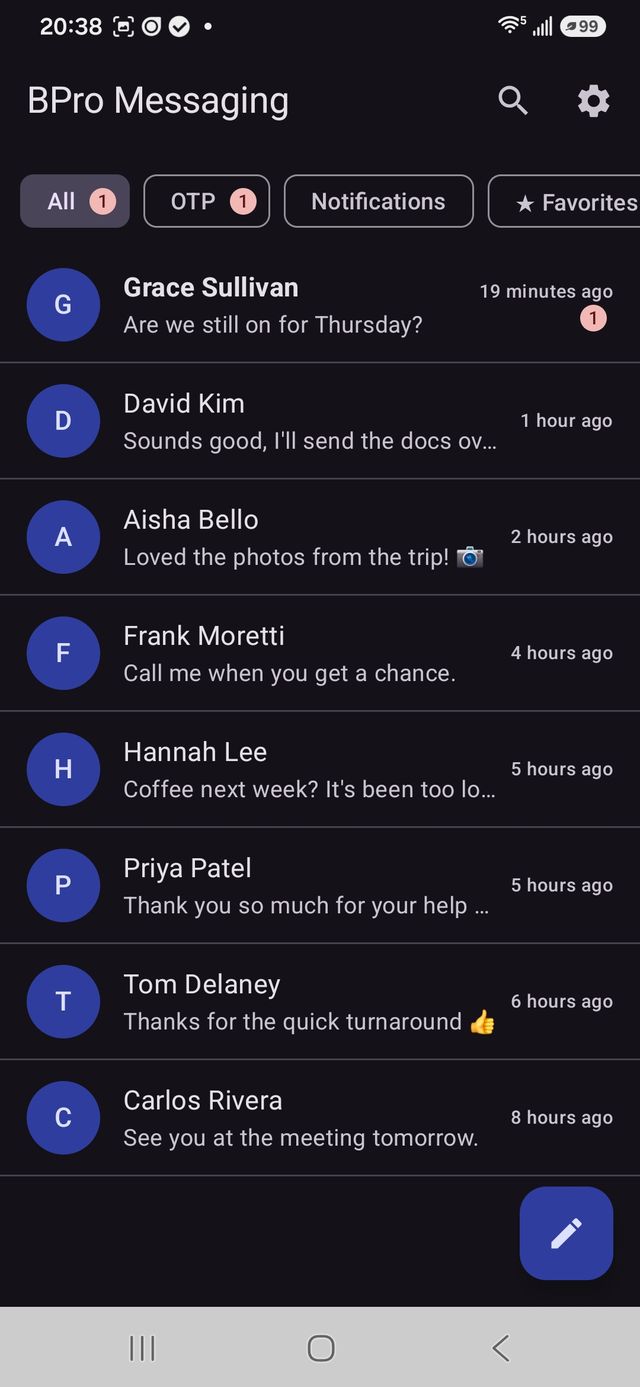
Your inbox, sorted into tabs
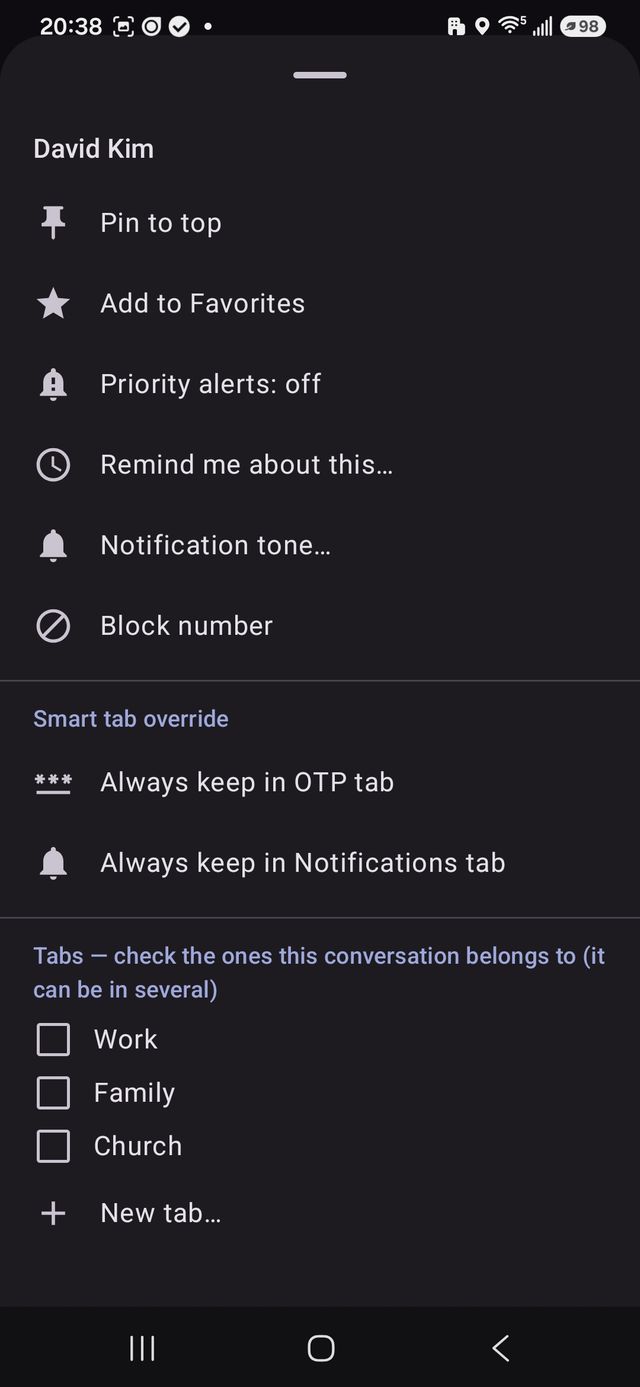
One chat can live in several tabs
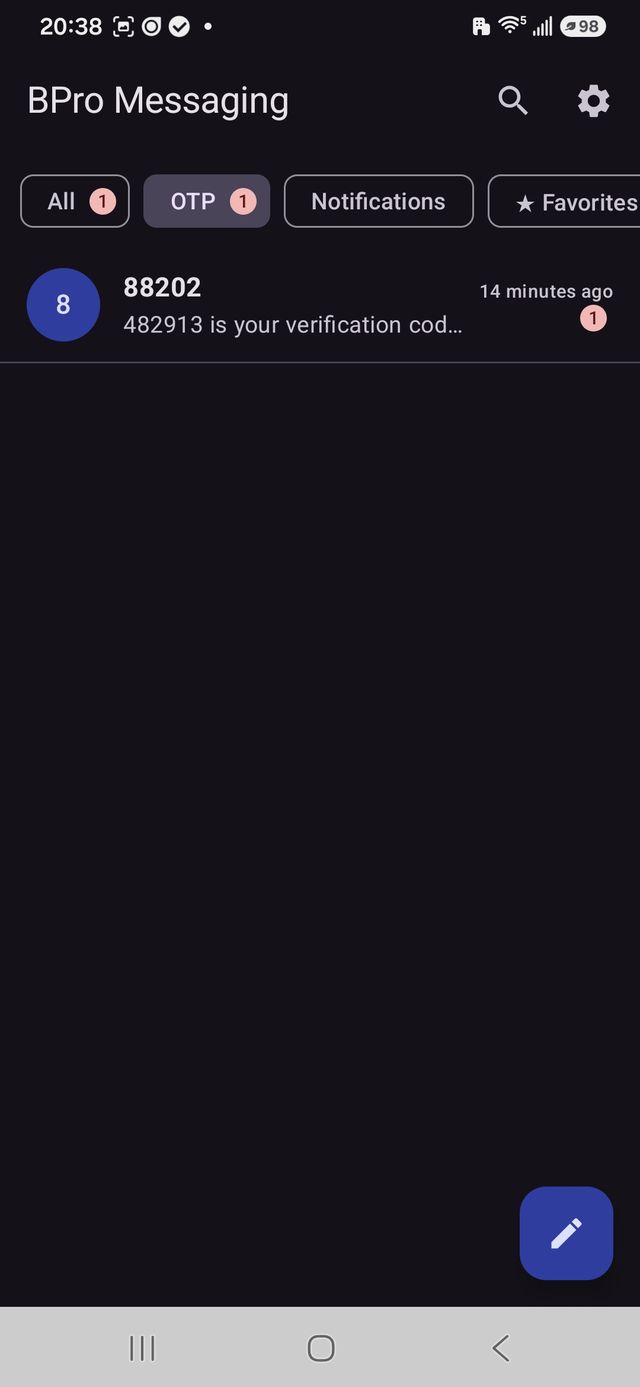
Passcodes sort themselves
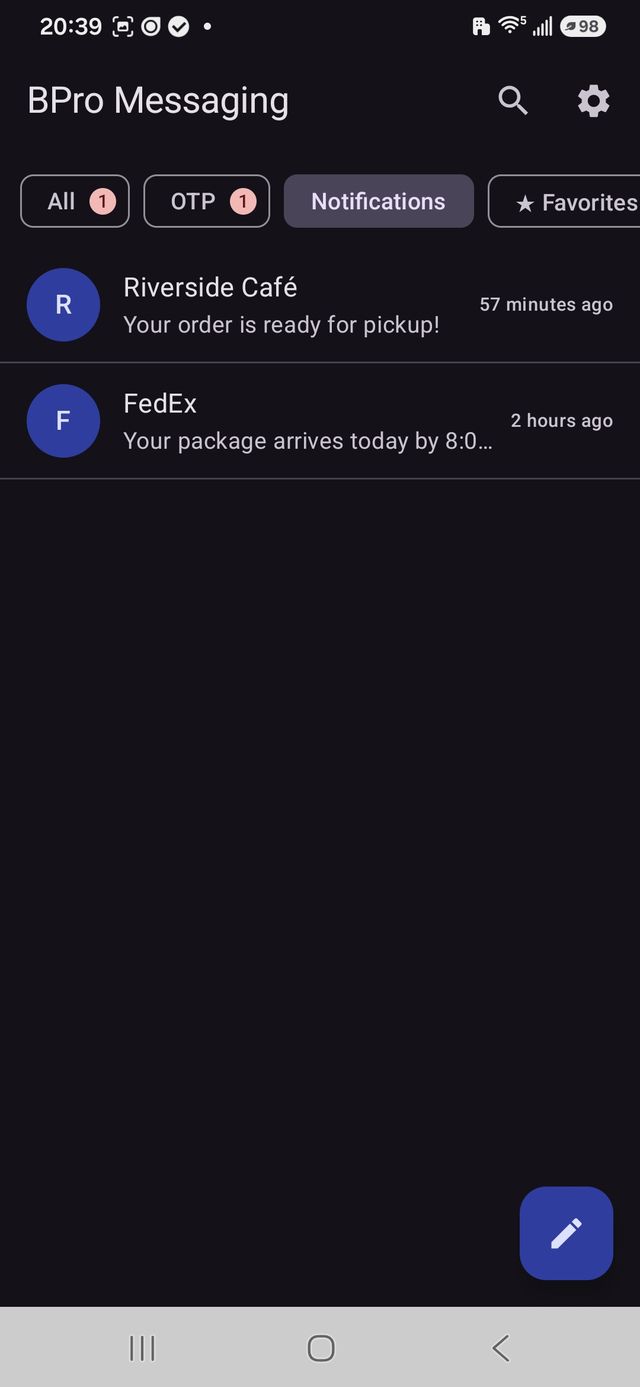
Alerts & promos, auto-filed
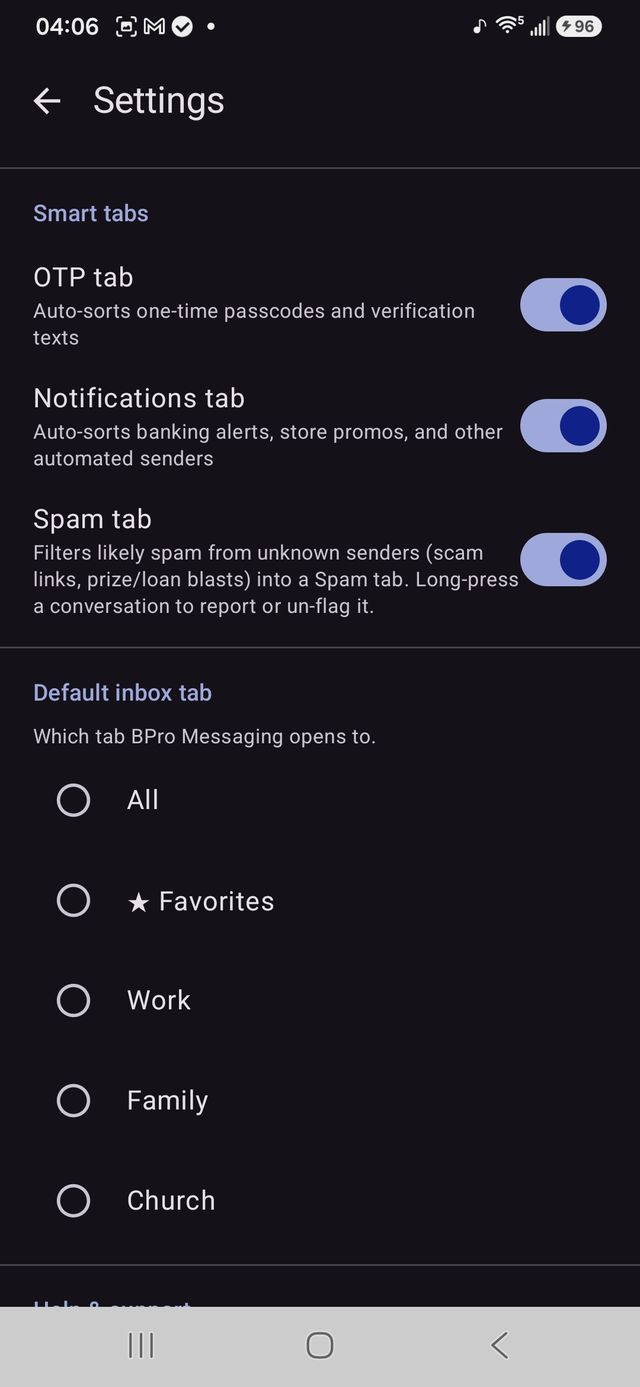
Spam filtered out automatically
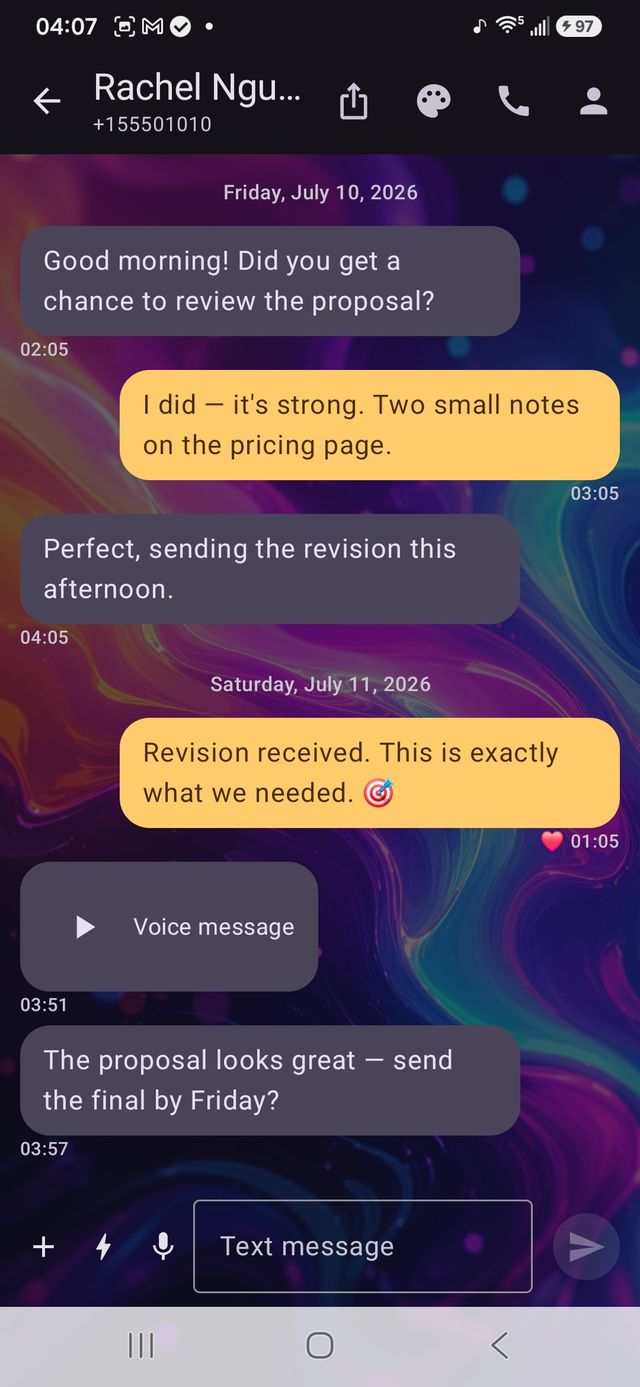
Voice notes & a custom chat look
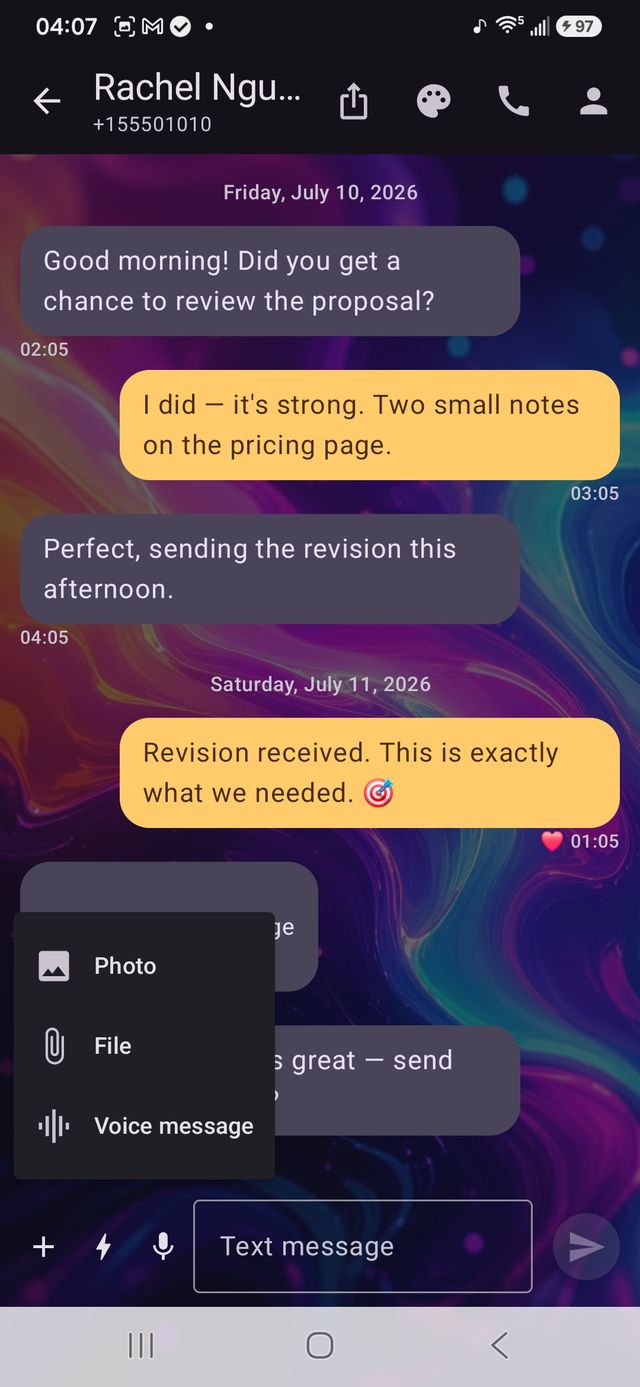
Attach photos & files in a tap
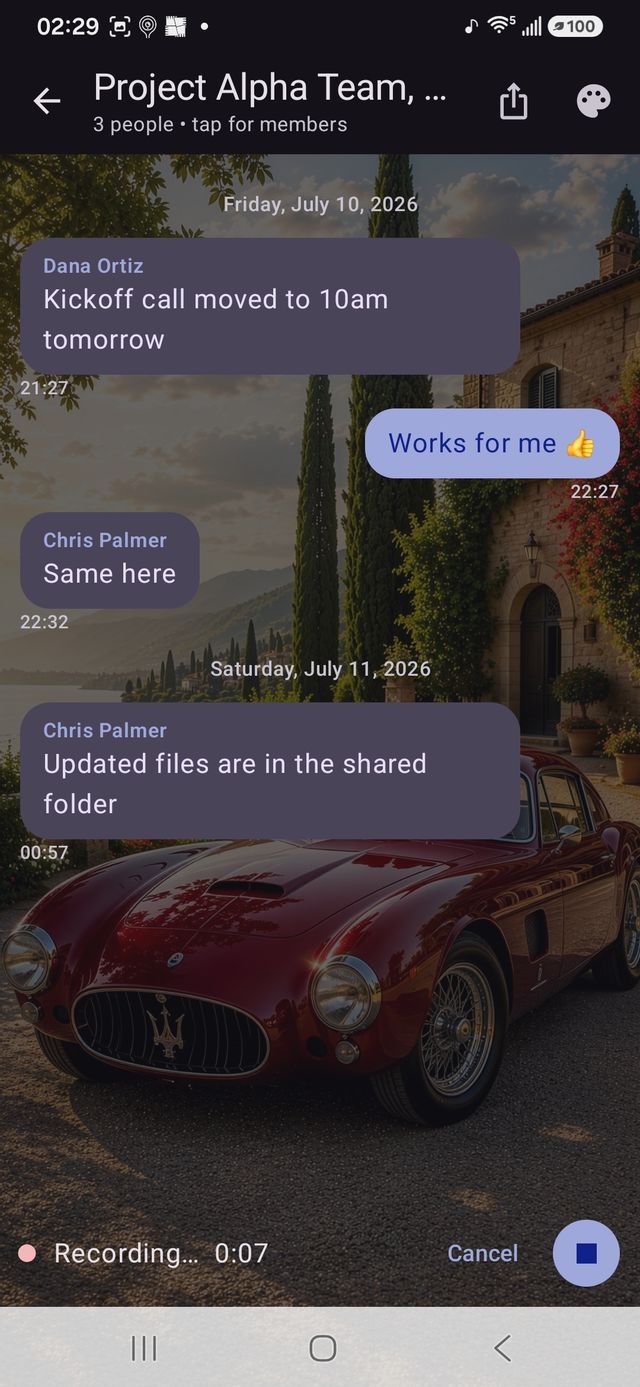
Group chats with custom backgrounds
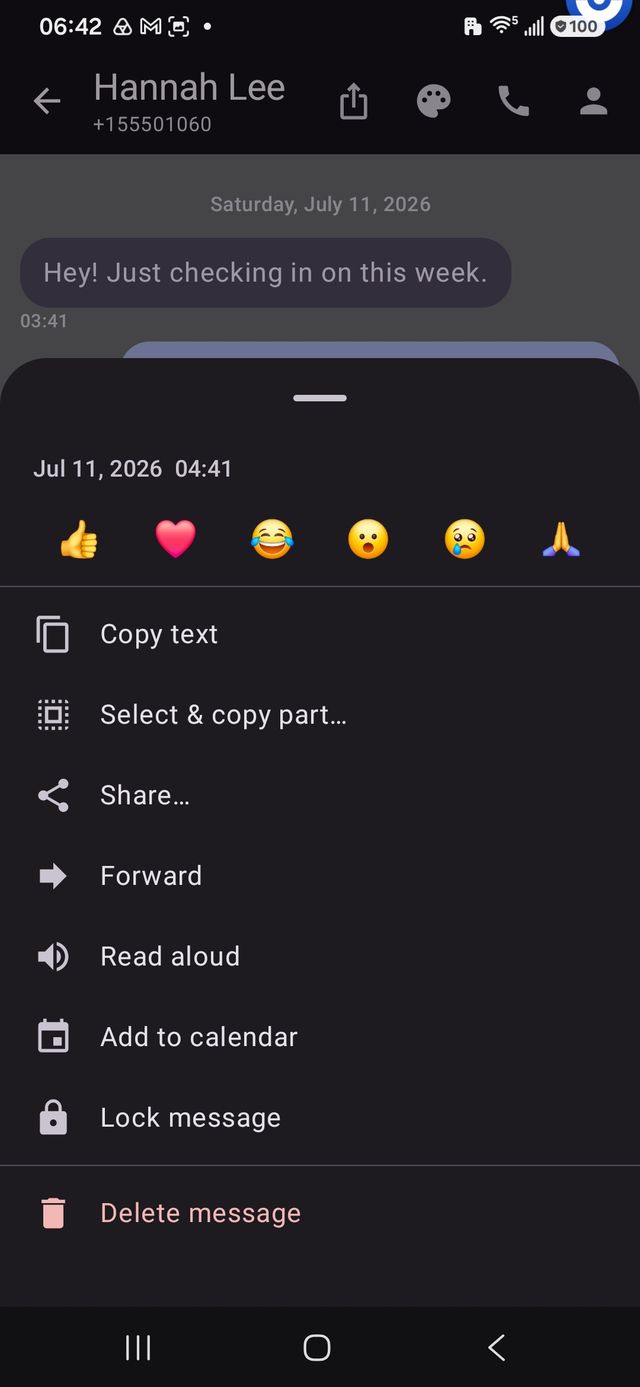
React, read aloud, lock, add to calendar
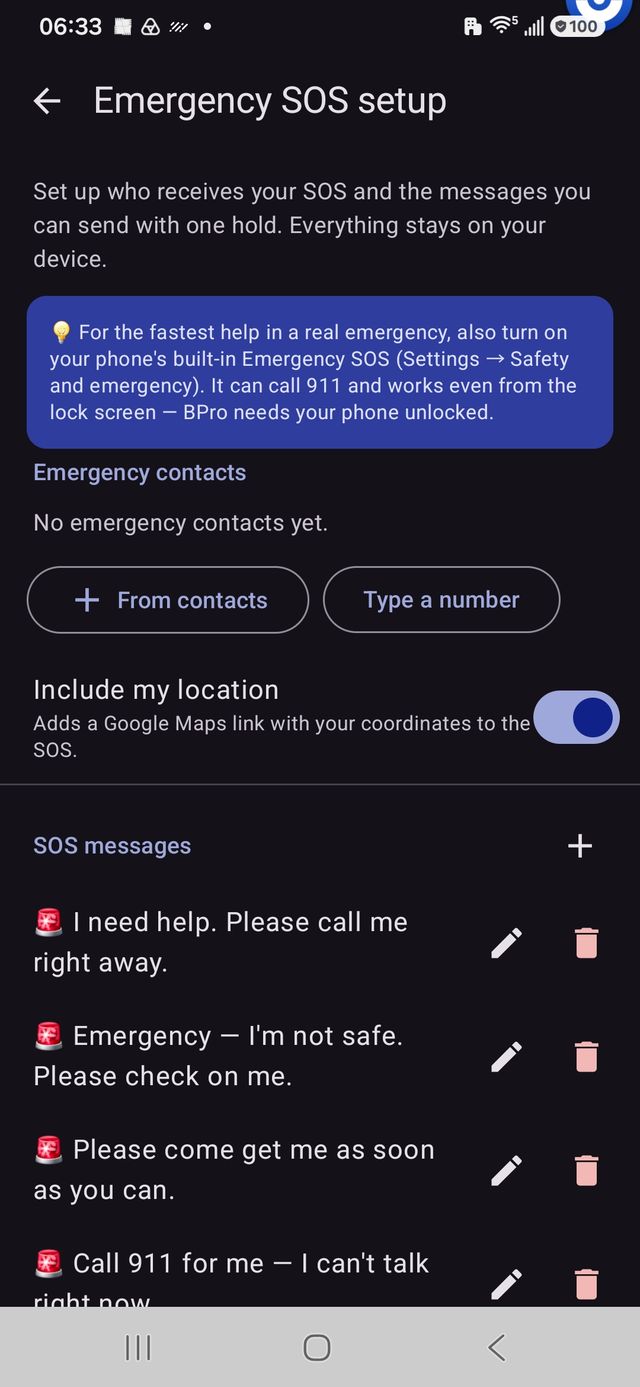
Emergency SOS, built in
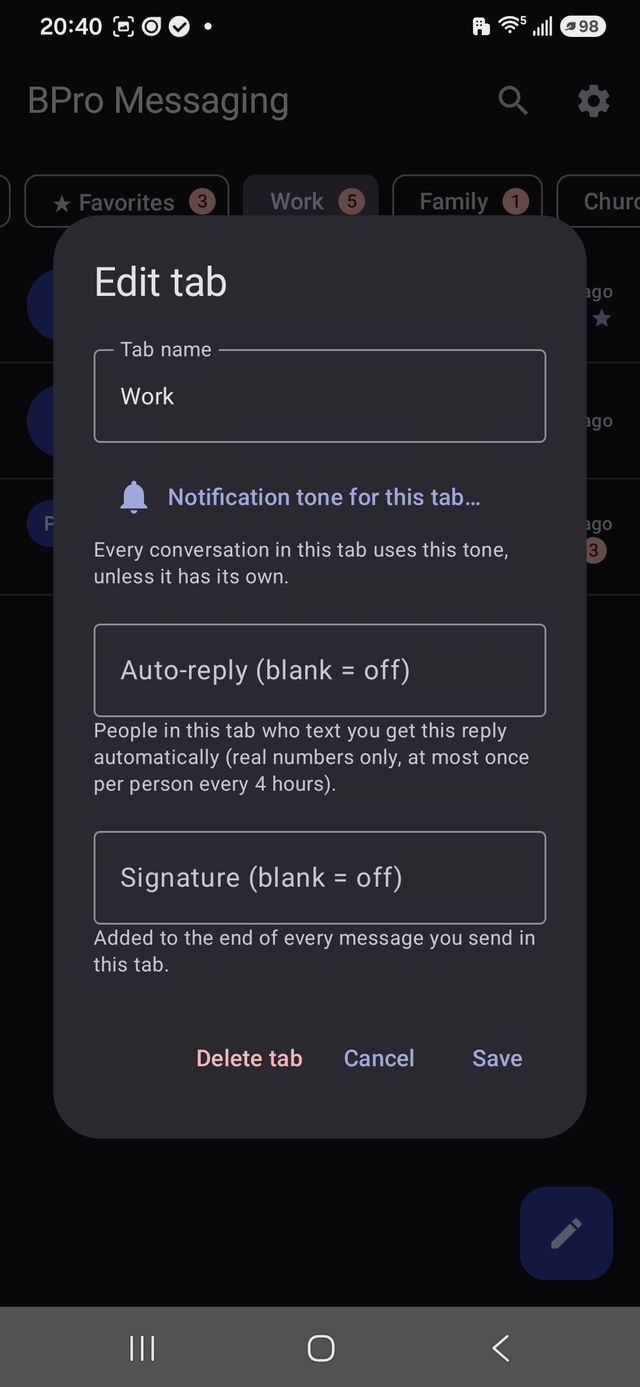
Per-tab auto-reply & signature
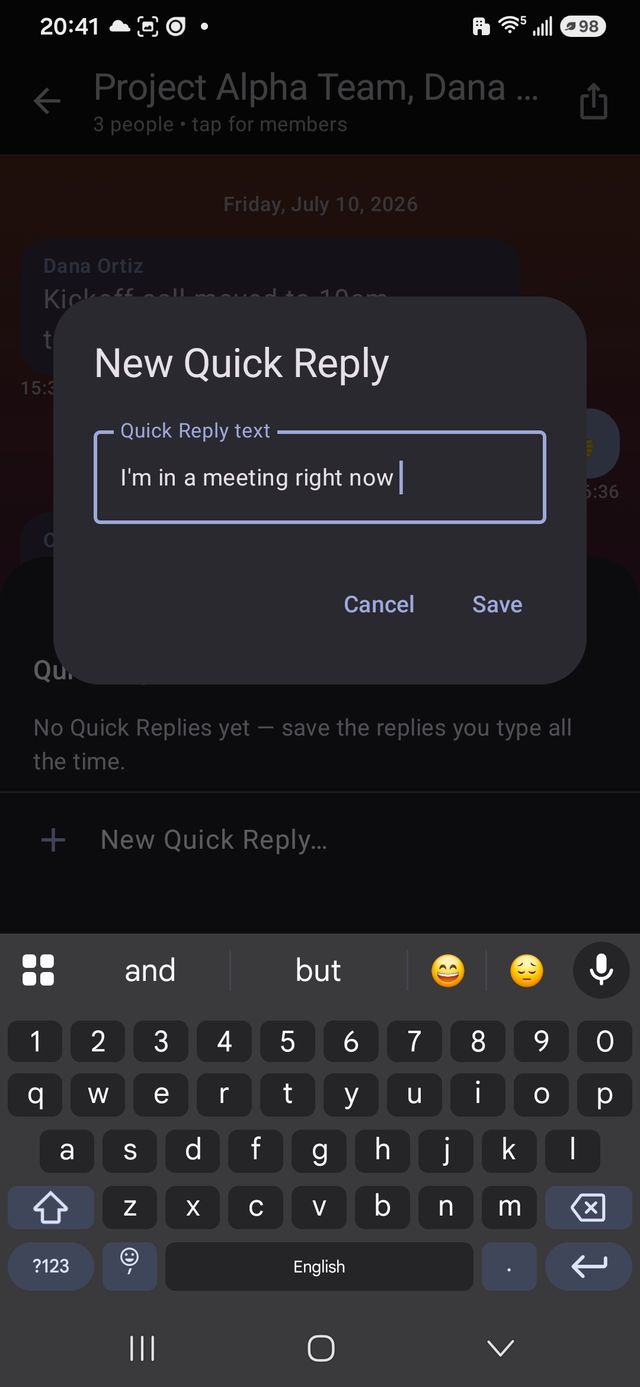
Save replies you send often
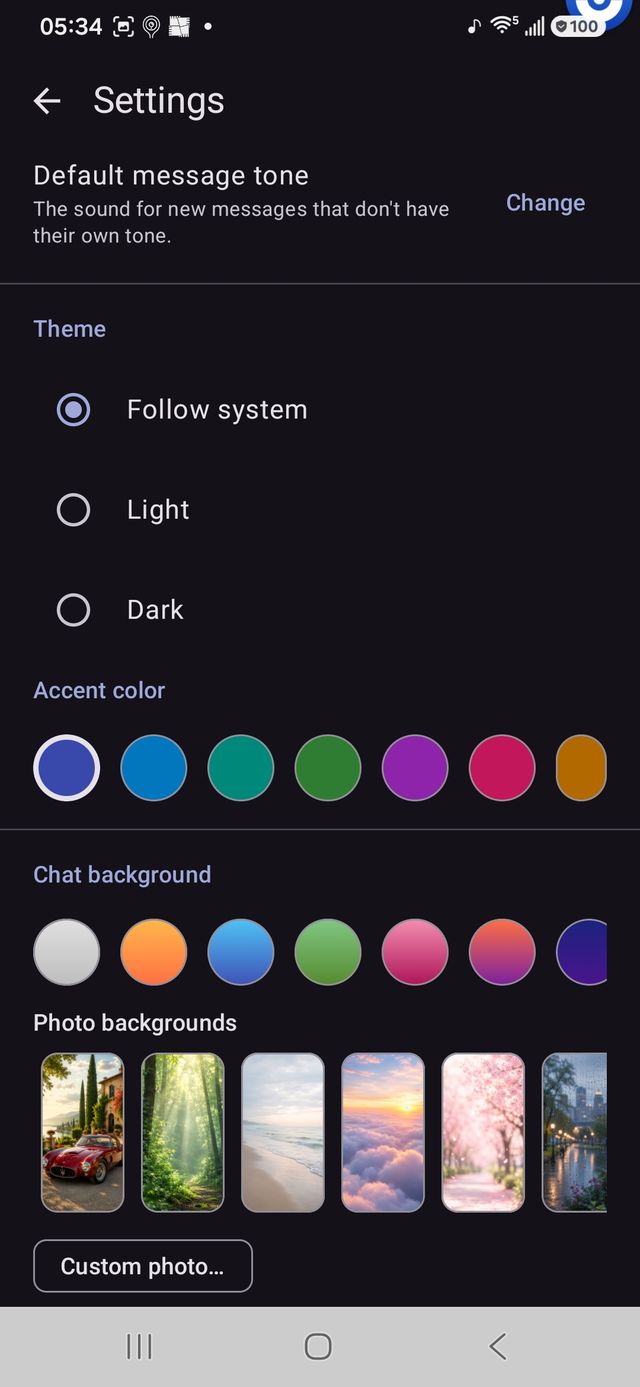
Make it yours — colors & photo backgrounds
Some features shown are Pro or Platinum features and aren’t included in the free Basic app. See the Basic vs. Pro comparison below for exactly what’s included in each level.
What’s inside
One-time passcodes sort themselves into an OTP tab. Bank alerts, shipping notices, and store promos sort into Notifications. Your main inbox shows real conversations with real people.
Custom notification tones per contact, per group, or per tab. Priority contacts can ring until you’ve seen them.
SMS, picture messages, group conversations with member lists and sender names, reactions, message lock, copy, timestamps, full-text search that finds people first, contact photos, and multi-select cleanup for clearing old stacks at once.
Dark, light, or follow-system themes. Chat backgrounds — including your own photo. Five font styles and four text sizes for easy reading.
BPro collects nothing. No account, no servers, no analytics. Your messages live in your phone’s own message store — where they stay if you ever leave. Read the privacy policy →
Honest pricing
No subscription. No ads. Everything is spelled out before you pay. No Ads. No Subscriptions. No B.S. Just BPro!
| Feature | BasicFREE | Pro$4.99 | Platinum$9.99 |
|---|---|---|---|
| Texts, photos, files, group messages | Included | Included | Included |
| Voice message clips | Included | Included | Included |
| Reactions, undo send | Included | Included | Included |
| Scheduled send | Not included | Included | Included |
| Quick Replies | Not included | Included | Included |
| Custom tabs | 3 | Unlimited | Unlimited |
| Smart tabs — OTP, Notifications, Spam | Included | Included | Included |
| Pin, favorite, multi-select, reorder tabs | Included | Included | Included |
| Force a chat into a smart tab | Not included | Included | Included |
| Search, read aloud, tap links / numbers | Included | Included | Included |
| Share, forward | Included | Included | Included |
| Default & per-conversation tones | Included | Included | Included |
| Reply / mark read from notification | Included | Included | Included |
| Priority alerts | Not included | Included | Included |
| Spam filtering & report | Included | Included | Included |
| Block / unblock numbers | Included | Included | Included |
| Emergency SOS Contacts, hold-to-send, location, home-screen tile, stealth mode | Included | Included | Included |
| Themes, accent colors, text size | Included | Included | Included |
| Chat backgrounds Basic: colors + 6 photos · Pro & Platinum: full library + your own photo | Some | Full | Full |
| Fonts Basic: 2 fonts · Pro & Platinum: all stylized fonts | 2 | All | All |
| Per-conversation colors | Included | Included | Included |
| Per-conversation photo background | Not included | Included | Included |
| Per-tab auto-reply (out of office) | Not included | Included | Included |
| Per-tab signatures | Not included | Included | Included |
| Per-tab tones | Not included | Included | Included |
| Follow-up reminders | Not included | Included | Included |
| Export a conversation | Not included | Included | Included |
| Add event to Calendar from a message | Not included | Included | Included |
| To-Do list on-device tasks; turn any text into a to-do | Not included | Not included | Included |
| Daily Workspace dated notes you can type or dictate | Not included | Not included | Included |
| Contact notes & tags a private mini-CRM per contact | Not included | Not included | Included |
| Needs-reply tracker | Not included | Not included | Included |
| Personalized Quick Replies fields like {first} and {date} fill themselves in | Not included | Not included | Included |
| Export everything your whole inbox, or one tab, with a date range | Not included | Not included | Included |
| Dashboard reply time, busiest hours, who’s still waiting | Not included | Not included | Included |
| Encrypted backup & restore | Not included | Not included | Included |
| PC Sync BPro on your computer, over your own wi-fi | Not included | Not included | Included |
BPro Platinum Desktop
Read and reply to texts from your keyboard, work your to-dos, notes, and contact tags — and get a pop-up on your PC the moment a text lands. All over your own wi-fi. No cloud. No account.
Free with BPro Platinum — nothing extra to buy. Windows 10 or 11, 95 MB. Turn on PC Sync on your phone (Settings → BPro Platinum → PC Sync), then enter the address and PIN it shows. Your PC and phone must be on the same wi-fi.
Heads up: this app isn’t code-signed yet, so Windows may warn “unknown publisher” the first time — click More info → Run anyway to install. Don’t want to install anything? You can open the very same command center in any web browser at the address your phone shows.
Beta feedback
Every feature request, note, and bug report from beta testers goes straight to me and steers the next release.